Key points
Warranty claims should not live in inboxes, folders, and spreadsheets.
A claim needs product, serial, customer, reseller, evidence, owner, and decision context.
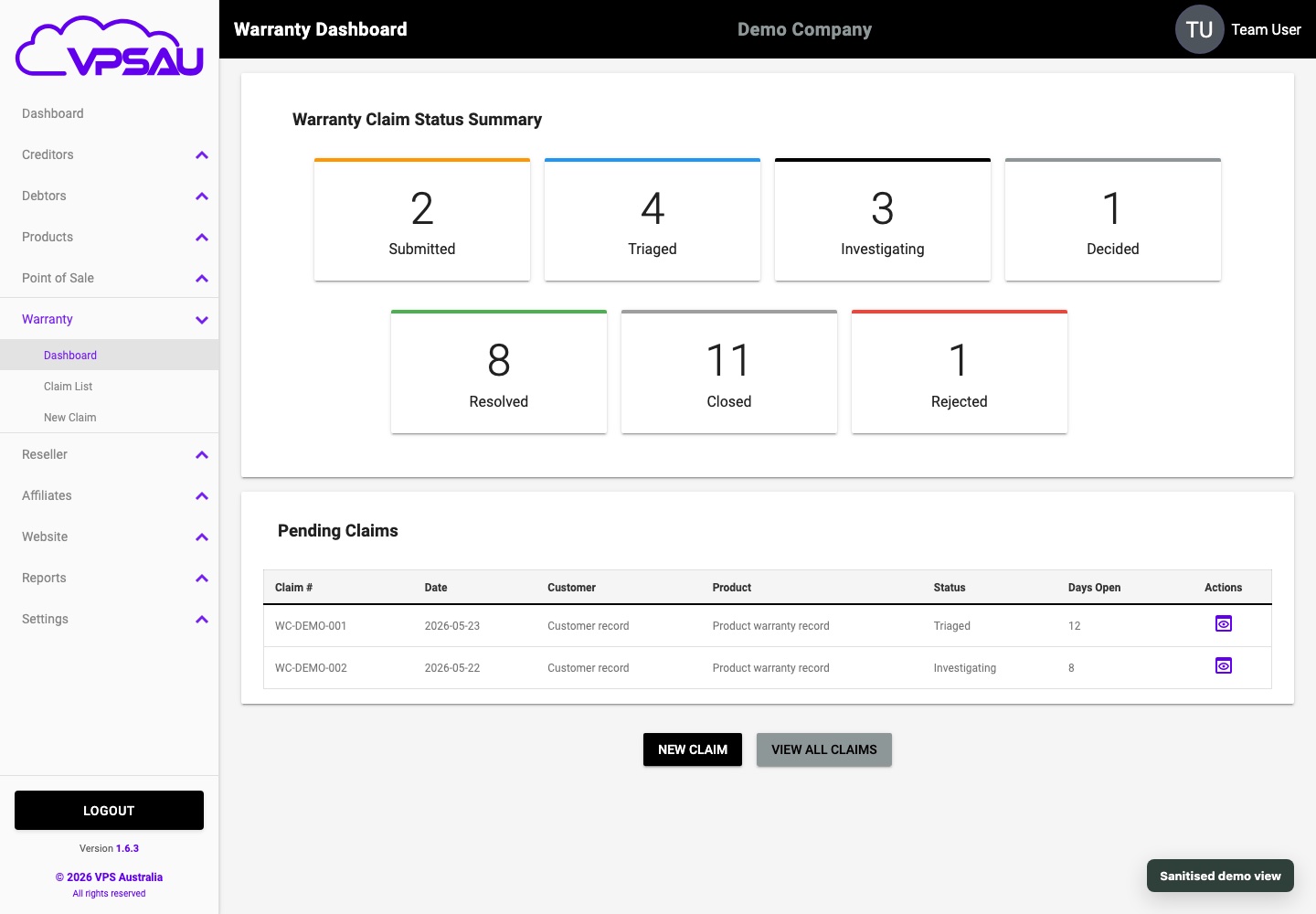
Lifecycle status gives teams visibility from intake through closure.
Warranty work is after-sales operations
Many systems treat warranty as an afterthought. Claims are collected through email, investigated in separate notes, and resolved with little audit trail. That makes customer service harder and creates risk when a claim is disputed.
A proper warranty workflow turns each claim into controlled operational work with status, ownership, evidence, correspondence, and resolution history.
The lifecycle that matters
Every warranty claim should have a visible lifecycle. Intake captures the customer's issue. Triage decides urgency and ownership. Investigation collects evidence. Decision records approval, rejection, replacement, repair, credit, or other outcome. Closure preserves the audit trail.
The business should be able to answer what happened, who handled it, and why the decision was made.
Submission and triage.
Assignment and investigation.
Attachments and correspondence.
Approval, rejection, replacement, repair, or credit.
Closure and audit history.
Why ERP context changes the workflow
Warranty claims become easier to manage when they sit beside the product, serial number, customer, reseller, debtor, purchase date, and order history. Staff should not have to reconstruct that context from separate systems.
This is where VPS Foundation Suite is stronger than a generic ticket system. Warranty is connected to the operating record, not detached from it.
A useful buyer question
If a business handles warranties today, ask how long it takes to find the product, purchase, customer, reseller, photos, notes, decision, and final outcome for a single claim.
If the answer involves multiple inboxes and spreadsheets, the business is ready for lifecycle warranty management.